



Three ways to get to your apps.Only one is safe and simple.
Your home IP address stays hidden
No open ports on your router
Nothing for a visitor to install
Works on a friend's TV
A sign-in gate before any app shows
Setup
Every app on your server sits behind your router, which refuses any connection nobody inside asked for. HexOS Anywhere is the third way, run by us and turned on with a switch.
On with a switch.Nothing else to set up.
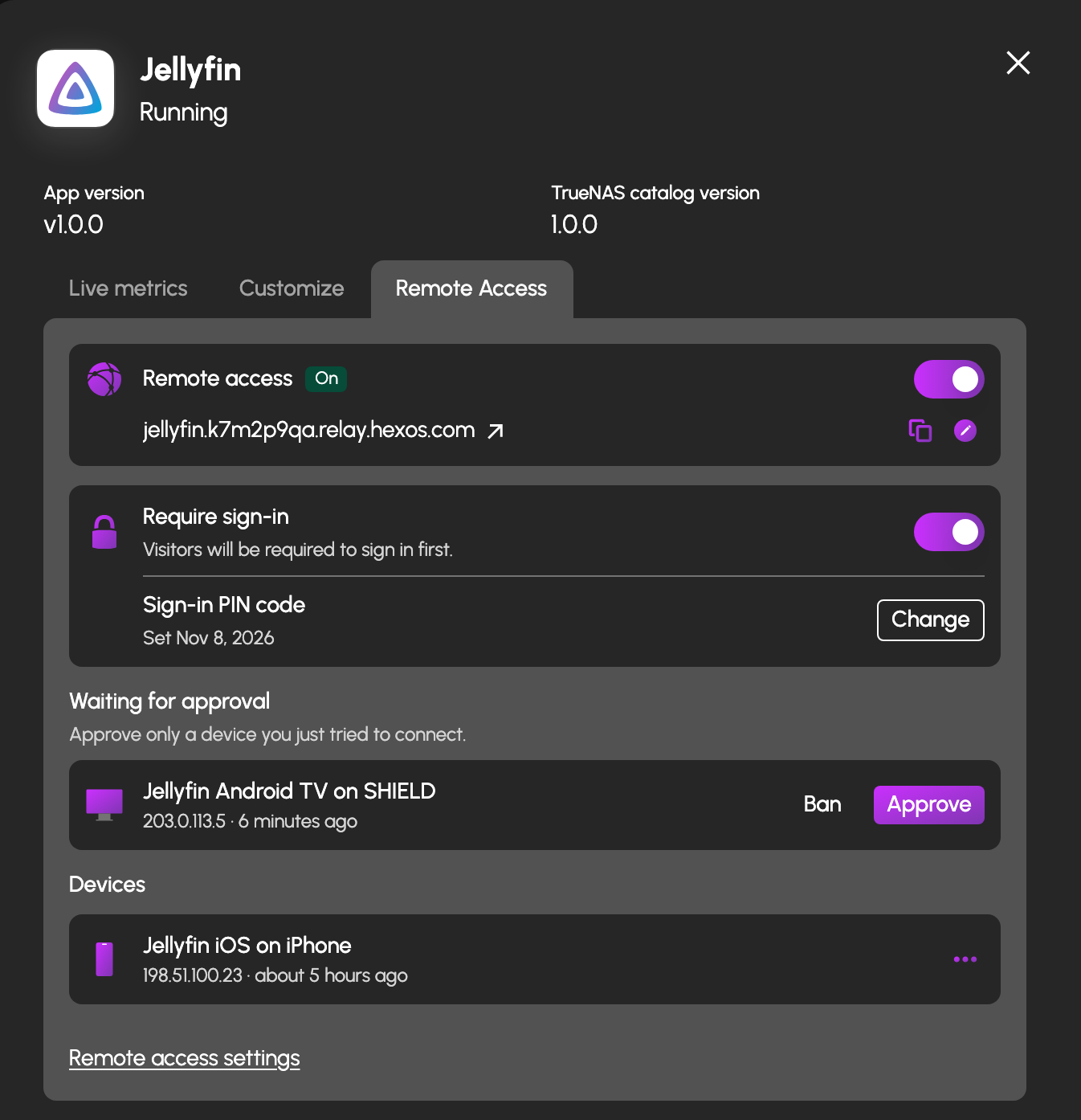
- An address for every app. Each app answers at its own https address, like jellyfin.k7m2p9qa.relay.hexos.com, certificate included.
- One tab per app. Open any installed app, find its Remote Access tab, flip the switch. The tenth app takes the same five seconds as the first.
- Your own domain, if you like. The relay address works as is. Point a domain you own at HexOS and your apps answer under it instead.
Your server.Your rules.
- Your network stays closed. No port forwarding, no exposed IP. Your server only ever connects outward.
- Encrypted end to end. The relay passes the connection through without opening it. Only your server can read it.
- The dials are yours to control. Who signs in, which countries may connect, which addresses may not, and which devices are in.
Sign in first, if you want
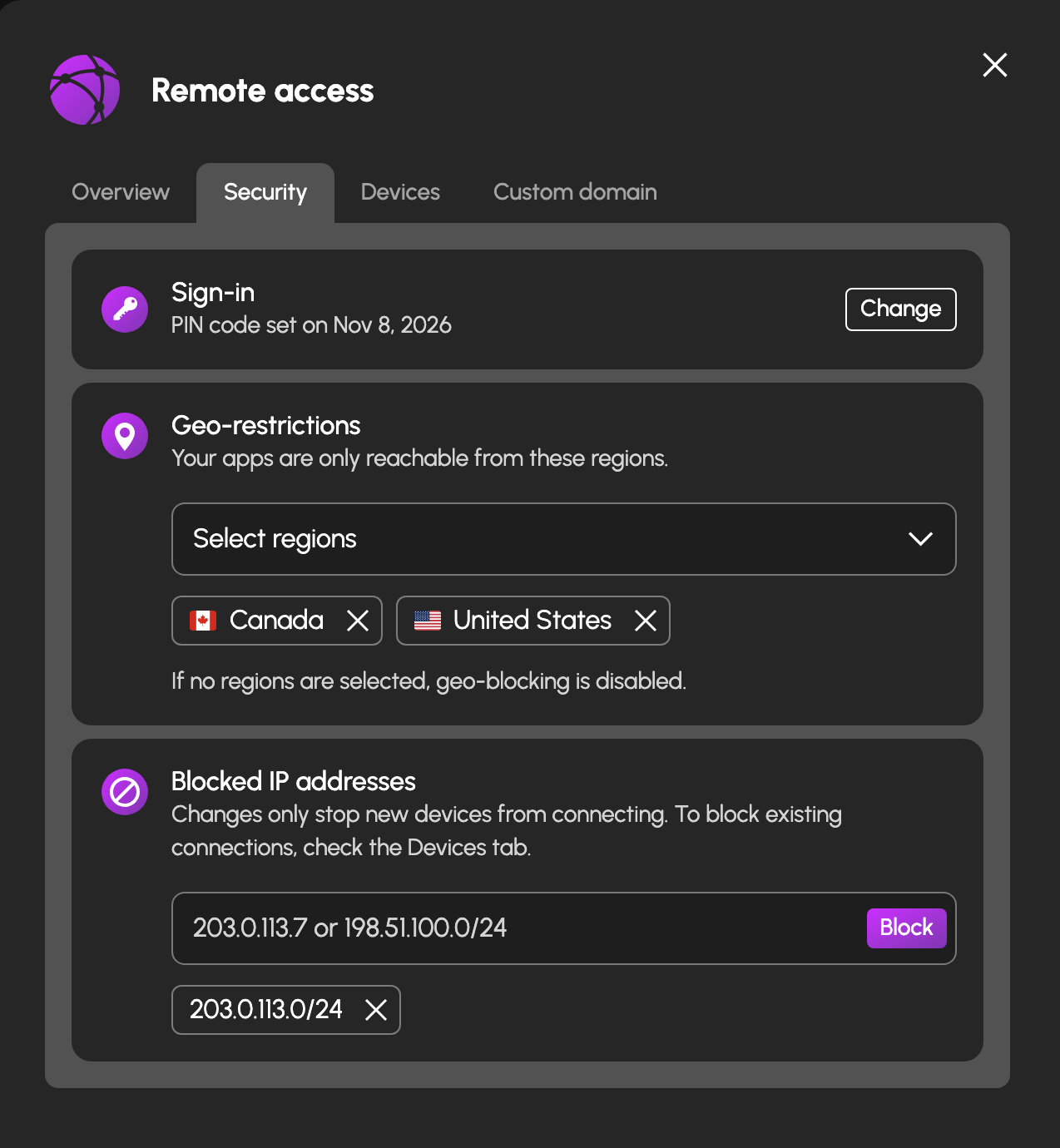
Each app can ask for your server's password or 6-digit PIN before it shows anything. It is on by default and yours to switch off per app.
Choose your regions
Allow only the countries your people connect from. Everyone else is turned away at the relay, before they ever reach your server.
Block addresses
Shut out specific IP addresses or whole ranges for granular control. They stop at the relay too, with nothing to see.
Approve devices
Phone, TV and desktop apps wait until you approve them. See every device that is in, and ban one with a tap.
Ready to go anywhere?$29 a year, per server.
Add it in your account
Pick the servers you want to reach from outside and skip the rest. Renews yearly. Cancel whenever you like and it simply stops renewing at the end of the year you paid for.
Add it at checkout
Anywhere is offered when you buy Lifetime, for each server the license will cover. Leave it off and add it later from your account.
Questions about HexOS Anywhere
Heard enough? Get HexOS.
Own HexOS Lifetime? Add Anywhere from your account, or at checkout when you buy.